The agent step
The configurable agent is the most powerful step type in a workflow. Instead of a fixed list of actions, you describe what you want done in plain language, and the agent works out how to do it using the skills you assign, pausing wherever it needs human input.
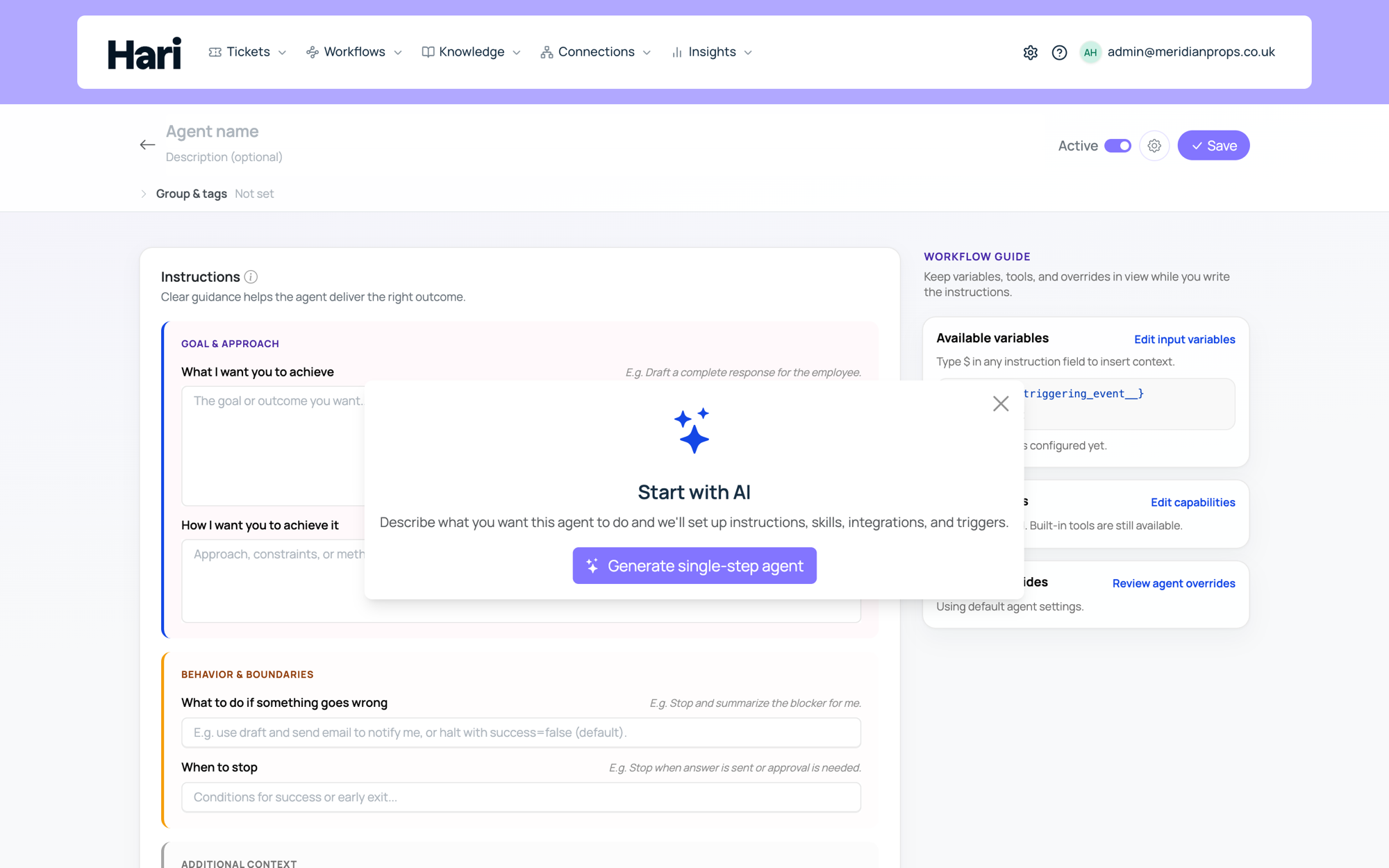
Configuring the step
When you add a configurable agent step, you write four instructions:
- Goal: what the step should achieve overall, for example "Find the invoice's purchase order number and draft a payment status update to the vendor".
- How: constraints on the approach, for example "Look up the PO number in the connected accounting system. Draft the email but do not send without approval".
- When to stop: the condition that tells the agent its job is done.
- On error: what to do when something goes wrong, for example "Post an internal note on the ticket and stop".
You also assign skills, the toolsets the agent can use. Depending on what you enable, the agent can search your knowledge base, look up employee data in a connected HRIS, create and update tickets, send email or Slack messages (with approval where configured), call external tools registered by IT via MCP connectors, wait for a human reply, or delegate a sub-task to another agent. The agent loads skills on demand as it decides they are relevant, and remembers what it has already loaded across pauses, which keeps its behavior focused.
Write instructions precisely: vague goals produce unpredictable paths. Enable only the skills the step needs, since unused skills are extra surface area with no benefit, and use approval steps when the agent's actions have irreversible consequences.
Memory within a run
Every action the agent takes is recorded in its conversation history for the run. When the workflow resumes after any pause, whether waiting for a ticket reply, an approval, or a sub-agent, the agent sees everything it already did, plus the new information that arrived, and continues with the combined context. Nothing needs to be repeated.
With workflow memory enabled on an agent step, the agent can also record key facts that persist across executions of the same workflow: a recurring run can note that it already contacted a person this quarter and skip them next time. Memory is stored per workflow definition and shared across all its executions. Use it to avoid duplicate outreach, not as a system of record, and tell the agent in its instructions when to record and when to check. Account owners can clear stale memory from the workflow settings page.
One step or many: the canvas editor
Workflows come in two shapes: a simplified workflow built around one configurable agent step, and Advanced mode (canvas editor), where you arrange multiple steps on a canvas. Both use the same agent technology; the difference is how much structure you wrap around it.
For most processes, start with a single step: describe the outcome, assign skills, and iterate until the behavior is right. One step is easier to maintain, with fewer places for instructions to drift out of sync. Triggers are separate from this choice; they decide when the workflow runs regardless of how many steps it has.
Open Advanced mode when one step cannot express the process cleanly: several distinct automated phases that need different skills or instructions each (lookup, act, confirm, close), branching between outcomes, or phases with different risk profiles, such as separating read-only lookup from steps that write to systems. Each extra step is something your team must document, test, and update, so add structure only where it earns its keep. Designing complex flows covers multi-step design.
Limits to plan around
Workflow agents run serially, and delegation runs one conversation at a time: the parent agent waits for each delegated sub-task to finish before starting the next, so contacting two people independently happens in sequence, not in parallel. Processes that must touch very large lists in one run become slow and can hit practical context limits; prefer scheduled batches or separate runs over one oversized execution.
Test the step in a pilot inbox before enabling it on live traffic, and give every agent step an on-error instruction so failures surface as internal notes rather than silence.