Skill requests
Employees can request access to Harriet skills from My AI. This page covers the admin side: approving a request to grant a direct skill assignment, or denying it with an optional note.
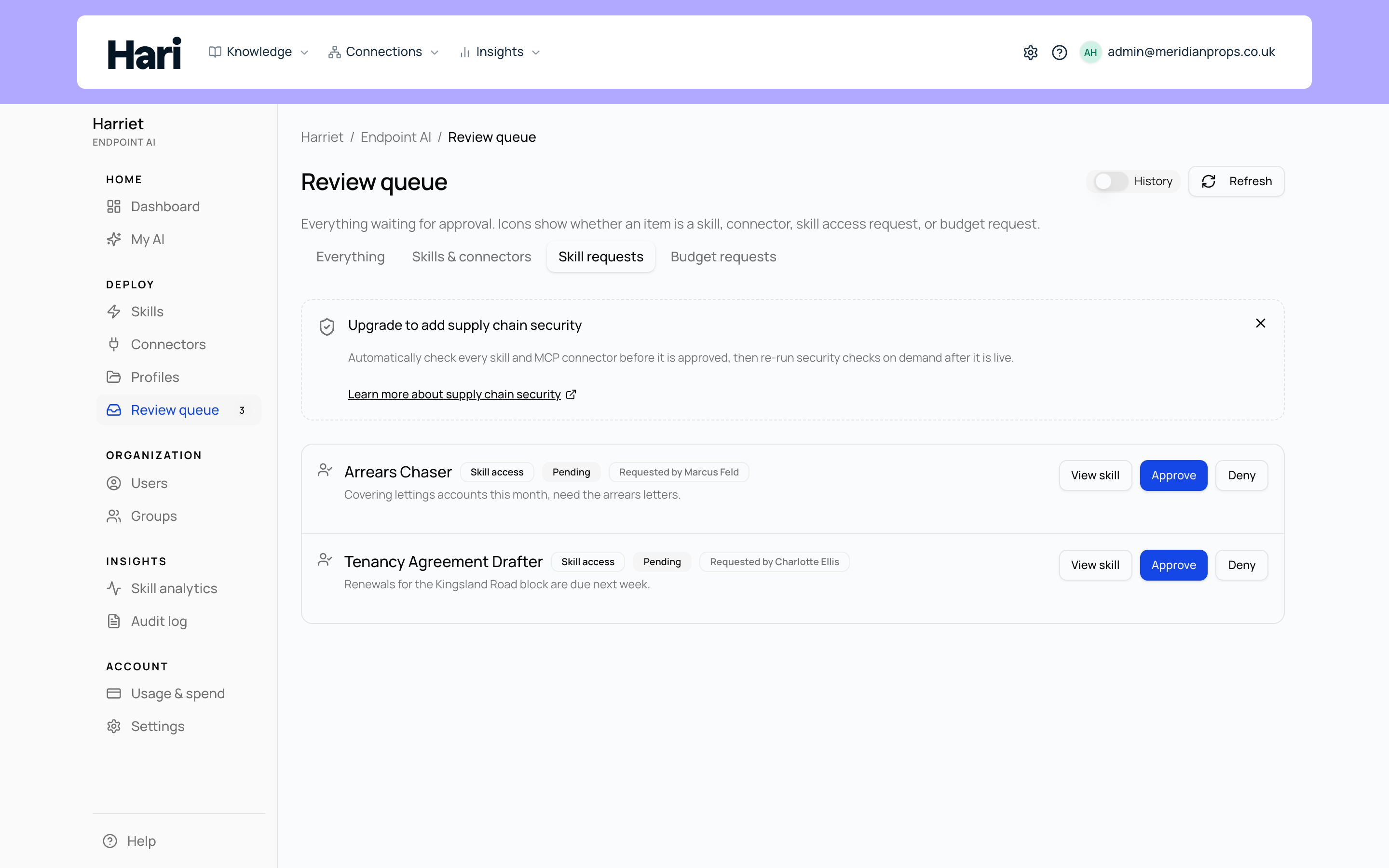
Where requests come from
Anyone browsing the requestable skill catalog in My AI can ask for a skill their profiles do not include, optionally adding a note explaining why. Each request lands on the Skill requests screen in the admin console, where people with the Manage Harriet Provisioner permission decide it.
The screen shows a table with When, User, Skill, Status, Note, and Actions columns. Filter it with the Status selector (Pending, Approved, Auto-approved, Denied, All) and the optional User id field, and reload with Refresh.
Deciding a request
- Open Skill requests. The default filter shows Pending rows, which are the ones with actions.
- Select Approve or Deny. A dialog opens with an optional message for the requester; whatever you write is included in the email they receive.
- Confirm. On approve, Harriet creates a direct skill assignment for that person, and their devices pick it up on the next sync. On deny, the request closes and the requester is notified.
Approval grants exactly one skill to exactly one person. Direct skill assignments are person-scoped by design, so approving a request never widens access beyond the requester.
Auto-approved skills
A skill can be marked to auto-approve requests. When someone requests such a skill, access is granted immediately on submit, and the request is still recorded with the Auto-approved status so the screen remains a complete history of who asked for what. Use this for low-risk skills you are happy to hand out on demand.
Statuses
| Status | Meaning |
|---|---|
| Pending | Waiting for a decision. Approve and Deny are available. |
| Approved | An admin approved the request; a direct skill assignment was created. |
| Denied | An admin declined the request, with an optional note emailed to the requester. |
| Auto-approved | The skill grants requests automatically; access was given on submit. |
Requests versus profile assignment
Approving a request is not the same as assigning skills through a profile. A profile bundles skills and settings and is assigned to teams or people, so adding someone to a profile gives them the whole bundle, and adding a skill to a profile gives it to everyone the profile covers. Approving a skill request creates a single direct assignment instead: one skill, one person, nothing else changes.
If several people on the same team request the same skill, that is a signal to add the skill to their team's profile rather than approving requests one by one.
Only approved skills appear in the requestable catalog, so a request can never be a route around the review queue.