How sync works
Every enrolled device converges on a desired state that Harriet computes for it. This page explains the five-minute sync loop, how to read a device's sync state in the console, and what the Local configuration on sync setting does to someone's own local config.
The sync loop
Harriet uses a desired-state model. On each cycle the device:
- Checks in and fetches desired state. The background agent runs every five minutes (a LaunchAgent on macOS, the
HarrietProvisionerAgentscheduled task on Windows). Harriet Desktop also polls desired state on its own 5-minute timer while the app is open, plus on window focus and when the machine comes back online. - Receives the merged configuration. Harriet computes the device's configuration from the default profile, the profiles assigned to the linked person and their teams, and any direct skill assignments: MCP server entries, skill packages, and (when enabled) LLM proxy settings, along with a hash of the whole configuration.
- Applies it. The agent writes the managed configuration for the device's desktop surfaces, honoring the local-configuration mode below. A backup of the existing config is created only when the content would actually change, and every write is atomic.
- Reports back. The agent checks in with its status and the hash of the configuration it applied. That report drives the sync state you see in the console and on My AI.
Because the loop repeats, changes you make in the console (a new skill in a profile, a settings change) reach devices on their next check-in, typically within a few minutes.
Reading the sync state
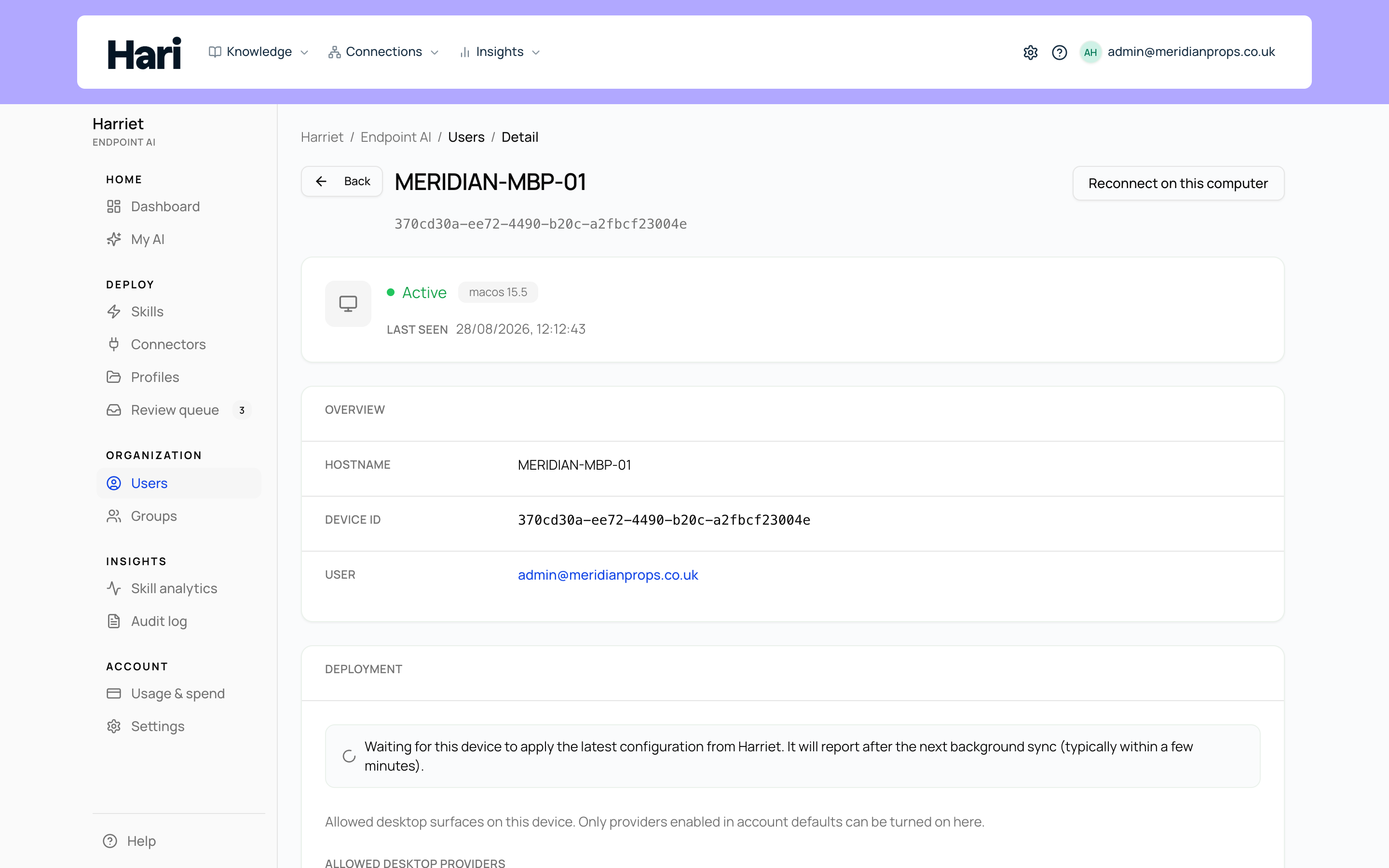
The Deployment card on a device's detail page compares the configuration Harriet expects with the hash the device last reported:
| State | What the console shows |
|---|---|
| In sync | "Configuration applied" — the device has checked in with the same config hash Harriet expects. |
| Pending apply | "Waiting for this device to apply the latest configuration from Harriet. It will report after the next background sync (typically within a few minutes)." The console keeps polling this state so you can watch the device catch up. |
| Unknown | "Sync status unavailable (no desired config hash)." Harriet has nothing to compute yet — link a user or assign skills, then check again after the device syncs. |
| Wipe scheduled | "Removal is scheduled." Sync status is unavailable until the agent wipes the device on its next run. See Removing and wiping devices. |
If a device stays in pending apply, the card also surfaces the last failed agent report with its timestamp. Start with Device not syncing.
Local configuration on sync
People often have their own local MCP entries in Claude Desktop or Harriet Desktop — servers they added themselves, alongside what Harriet manages. The Local configuration on sync setting on the device detail page decides what happens to that local config when Harriet applies desired state:
| Mode | Behavior |
|---|---|
| Use account default | Follow the org-wide default set in Manage → Settings. The selector shows which way the default currently points (merge with local, or overwrite / wipe on sync). |
| Always merge with local configuration | Harriet preserves the person's own MCP entries, removes stale Harriet-managed entries, and overlays the current desired servers. Their local additions survive every sync. This is the account default out of the box. |
| Always overwrite local configuration (wipe on next sync) | Harriet replaces the MCP server list with exactly the desired state, so any locally added MCP entries are wiped on the next sync. Non-MCP settings (app preferences, shortcuts) are preserved in both modes. |
The practical difference: merge is for orgs that let people experiment with their own MCP config on top of the managed baseline; overwrite is for locked-down fleets where the device should carry only what Harriet provisions. Even in merge mode, Harriet removes its own previously managed entries before writing the current set, so a re-enrolled machine cannot keep servers or tokens from a previous configuration.