Removing and wiping devices
A device's detail page offers two removal actions with very different reach: one unregisters the device in Harriet and leaves the machine alone, the other schedules a full wipe of everything Harriet manages on it.
Two removal actions
| Remove device | Remove device and all configuration | |
|---|---|---|
| What happens in Harriet | The device record is unregistered immediately. | Status becomes Pending wipe; the record clears after the machine confirms. |
| What happens on the machine | Nothing. Local configuration is unchanged. | The agent removes all Harriet-managed configuration on its next run. |
| When to use it | Unregister without touching the endpoint, or drop a stuck pending-wipe device (for example, a machine that is offline for good). | Offboarding a person or machine. This is the recommended uninstall. |
Remove device and all configuration
This action schedules a wipe rather than performing one remotely: the change applies on the next agent sync. On that run, the machine removes all Harriet-managed MCP config and skill packages, deletes the ~/.harriet (or %USERPROFILE%\.harriet) agent directory, and removes the LaunchAgent plist or Windows scheduled task so the agent stops running.
- Select Remove device and all configuration. The device's status changes to Pending wipe, and the page shows a "Pending full removal" notice. The button reads Removal pending on device while you wait.
- The device picks up the wipe. On its next check-in (typically within five minutes for an online machine), the agent receives the wipe instruction and cleans the machine.
- The machine confirms. The agent reports the wipe back; Harriet marks the device Wiped and revokes its API key. The device disappears from the Devices list, but its detail page stays reachable as a record of the completed removal.
If the machine is offline and will never check in, the wipe can never complete — use Remove device to drop the stuck record instead.
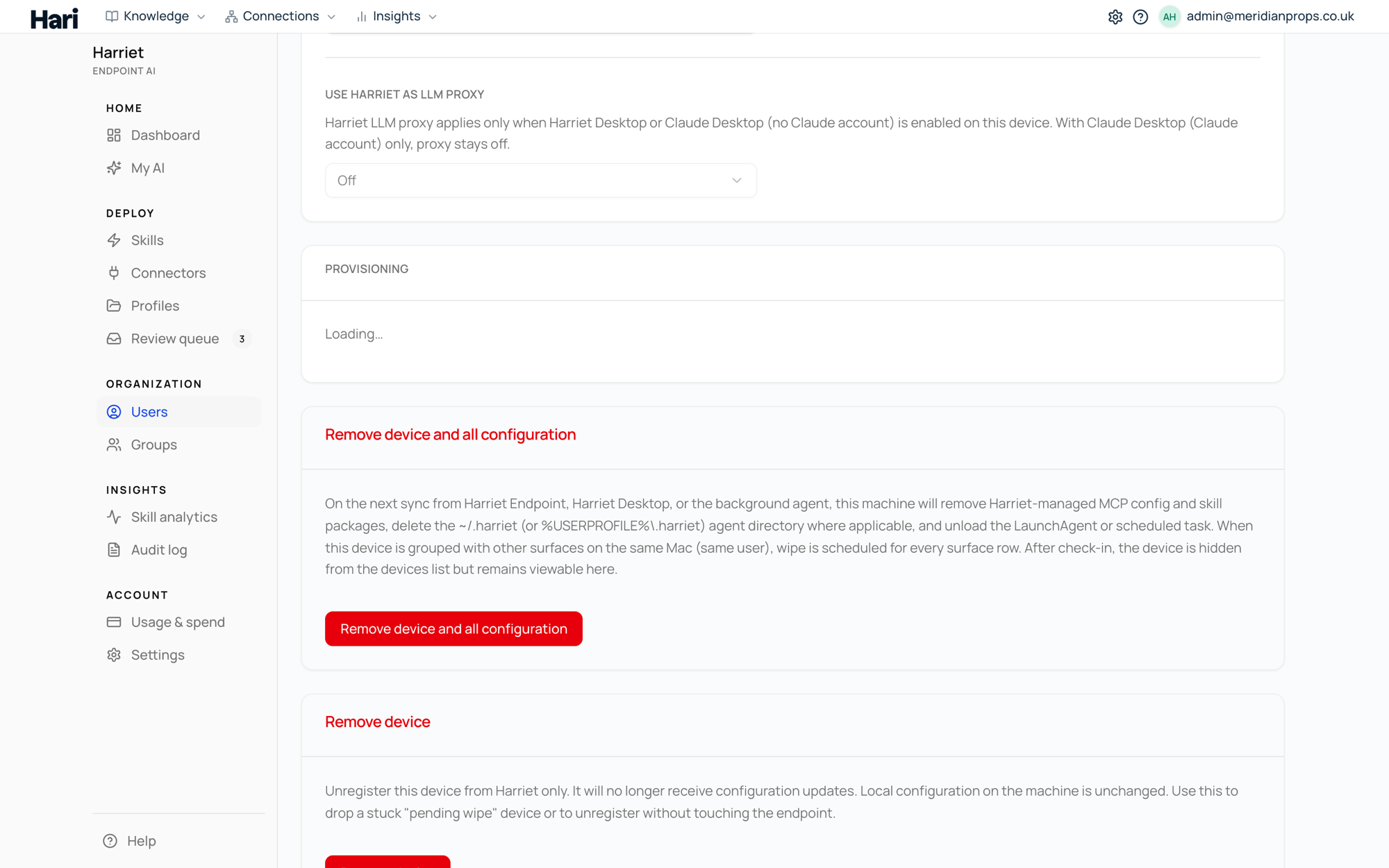
Remove device
This unregisters the device from Harriet only. It stops receiving configuration updates, and its credentials no longer work, but nothing on the machine is touched: managed MCP entries, skill packages, and the local agent all stay where they are until someone uninstalls them by hand or re-enrolls the machine.
Blocking instead of removing
A device with status Blocked stays enrolled and visible in the console, but Harriet refuses its traffic: MCP proxy calls and LLM proxy requests from a blocked device fail authorization. Blocking is the middle ground when you want to cut off a machine's access without discarding its record. See Device security.
What the employee sees
A wipe removes what Harriet put there, not the person's own setup. Harriet-managed MCP entries and provisioned skills disappear from their desktop app, and from Cursor, Cline, GitHub Copilot and OpenAI Codex where those were enabled; MCP entries and skills they added themselves, and their app preferences, are left alone, and any personal API keys they configured directly are not removed. After the wipe, the background sync is gone too, so nothing updates on that machine anymore. Signing out of Harriet Desktop on a device triggers this same wipe sequence from the machine's side.
One exception worth knowing: Harriet removes Codex connectors by asking Codex to remove them. If the codex command has already been uninstalled from the machine, Harriet cannot do that and instead records the exact commands to finish by hand. Those entries stop working either way, because the credential they carry is revoked when the device is removed.
Re-enrolling the same machine
Re-enrolling is safe, and it is the normal way to bring a removed machine back: send a new enrollment invite or run Connect desktop app again. Enrollment tokens are single-use, so a returning machine always needs a fresh one.
You do not need to worry about leftovers from the earlier enrollment. When Harriet applies configuration to a re-enrolled machine, it removes any existing Harriet-managed entries before writing the current desired state — even in merge mode — so stale servers or tokens from a previous enrollment cannot survive, while the person's own local entries are preserved. See How sync works for the merge behavior.