Bring your own keys (BYOK)
Add your organization's own provider API keys and Harriet uses them when it proxies LLM calls. You keep your provider relationships and provider billing; Harriet adds routing, attribution, and model control on top.
Where keys live
Open Settings and scroll to the LLM API keys (BYOK) card. As the card puts it: "Organization keys used when Harriet proxies LLM calls. BYOK keys take precedence over Harriet-managed credits. Keys are never shown after save."
The card lists one row per provider with a status of Key configured or No key, and actions to add or Remove a key. These are organization keys, not personal ones — one key per provider covers every proxied device in the org.
For the admin walkthrough of creating keys at each provider and adding them here, follow BYOK setup.
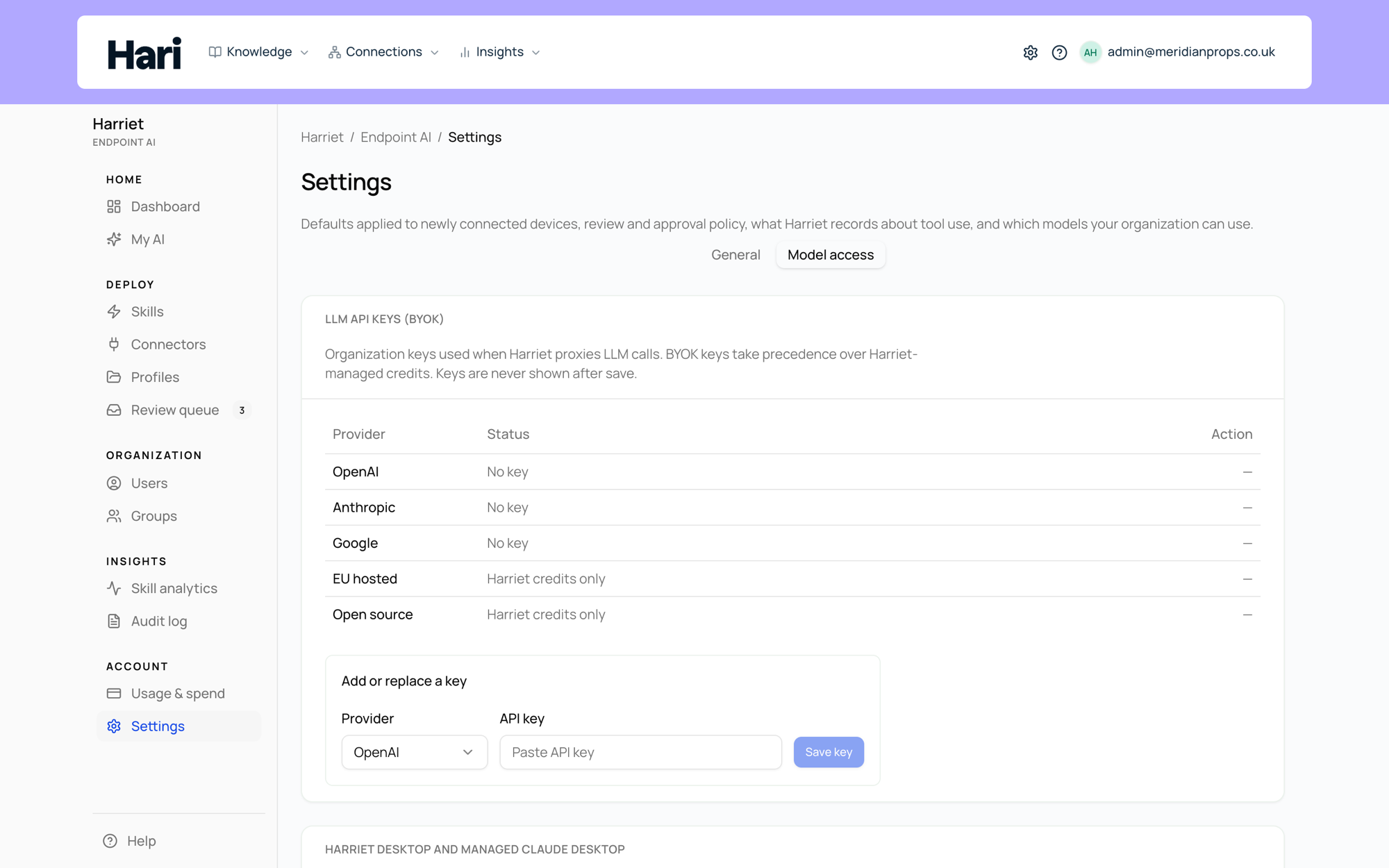
Which providers accept BYOK
| Provider | BYOK | Key type |
|---|---|---|
| OpenAI | Yes | OpenAI API key |
| Anthropic | Yes | Anthropic API key |
| Yes | Google AI Studio (Gemini) key | |
| Anthropic (EU) | No (managed billing only) | Not applicable |
Anthropic (EU) is resale-only: Harriet operates the EU infrastructure key itself, so those models always bill through managed credits. When your plan includes EU models, the provider row shows Managed billing only.
How BYOK billing works
Every proxied request is stamped with a billing mode: byok when Harriet forwarded it with one of your keys, or managed when it used a Harriet-managed key. The two modes settle differently:
- BYOK: the spend lands on your provider bill, under your provider contract, committed-spend deals, and rate limits. Harriet debits nothing from your credit balance and charges no usage fee. Usage and estimated cost are still recorded per person and device for reporting.
- Managed: Harriet pays the provider and debits your prepaid credit balance, with a usage markup.
When both are available for a provider, BYOK wins: Harriet only falls back to managed keys for providers where you have no key. That lets you mix modes (for example, BYOK for Anthropic where you have a committed-spend deal, managed credits for everything else) and switch at any time by adding or removing a key.
Budget caps apply to managed spend only. BYOK usage is reported but not blocked by Harriet, since the spend is governed by your own provider account.
Removing a provider's key does not pause traffic to that provider. If managed billing is set up, calls fall back to managed credits and start debiting your balance; if not, calls to that provider fail. Check the Available models list after removing a key.