Your My AI page
My AI is your personal view of Harriet: "What Endpoint AI provisions for you, and how your devices are syncing." You don't need admin access — everyone in the organization gets this page.
Open My AI to answer three questions: which skills and tools do I have, are my computers picking up the latest configuration, and what is my AI usage costing? A short rollout note from your organization appears at the top of the page.
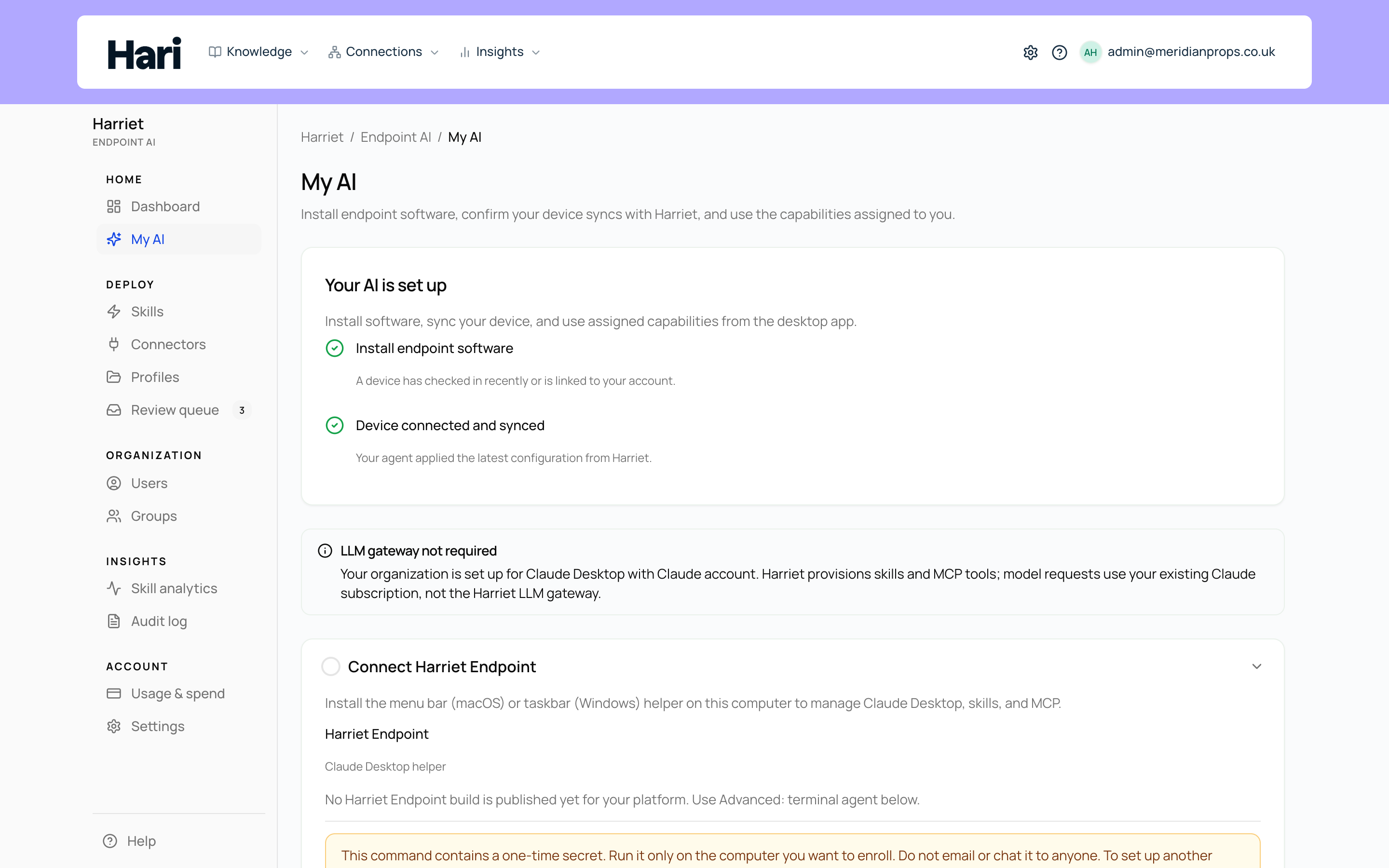
Getting connected
When Harriet hasn't seen one of your devices recently, My AI starts with a connection card so you can fix that yourself:
- Connect desktop app on this computer appears when "We haven't seen a linked device check in within the last week." Select Prepare connect command to generate an install command for the background agent, which manages Claude Desktop on that machine.
- Connect Harriet Desktop appears when your organization uses Harriet Desktop. Download the app on this computer, then sign in with your Harriet account.
Which cards you see depends on the desktop surfaces your organization has enabled. See desktop apps for what each surface is.
Model and LLM proxy
The Model and LLM proxy card tells you whether your AI traffic routes through Harriet's LLM proxy. The proxy applies when Harriet Desktop or Claude Desktop (no Claude account) is allowed and enabled on your devices; if your organization uses Claude Desktop with existing Claude accounts only, the card says the proxy does not apply. Per-device model hints appear in the devices table when your organization profile merges them into config.
Everything else on the page
The rest of My AI is covered in its own pages:
Last check-in, whether each device applied the latest configuration, and how to link a device with a code.
Estimated cost and token totals for your LLM calls through the Harriet proxy.
Ask for access to a skill you don't have yet, and track the request.
Stop a skill from being provisioned to your machines without touching anyone else's setup.
The Tools per capability card at the bottom of My AI shows the same detail as the Capabilities tab on your person record in People — each skill expands to list the tools you can use and any access notes.