Global rules (AGENTS.md)
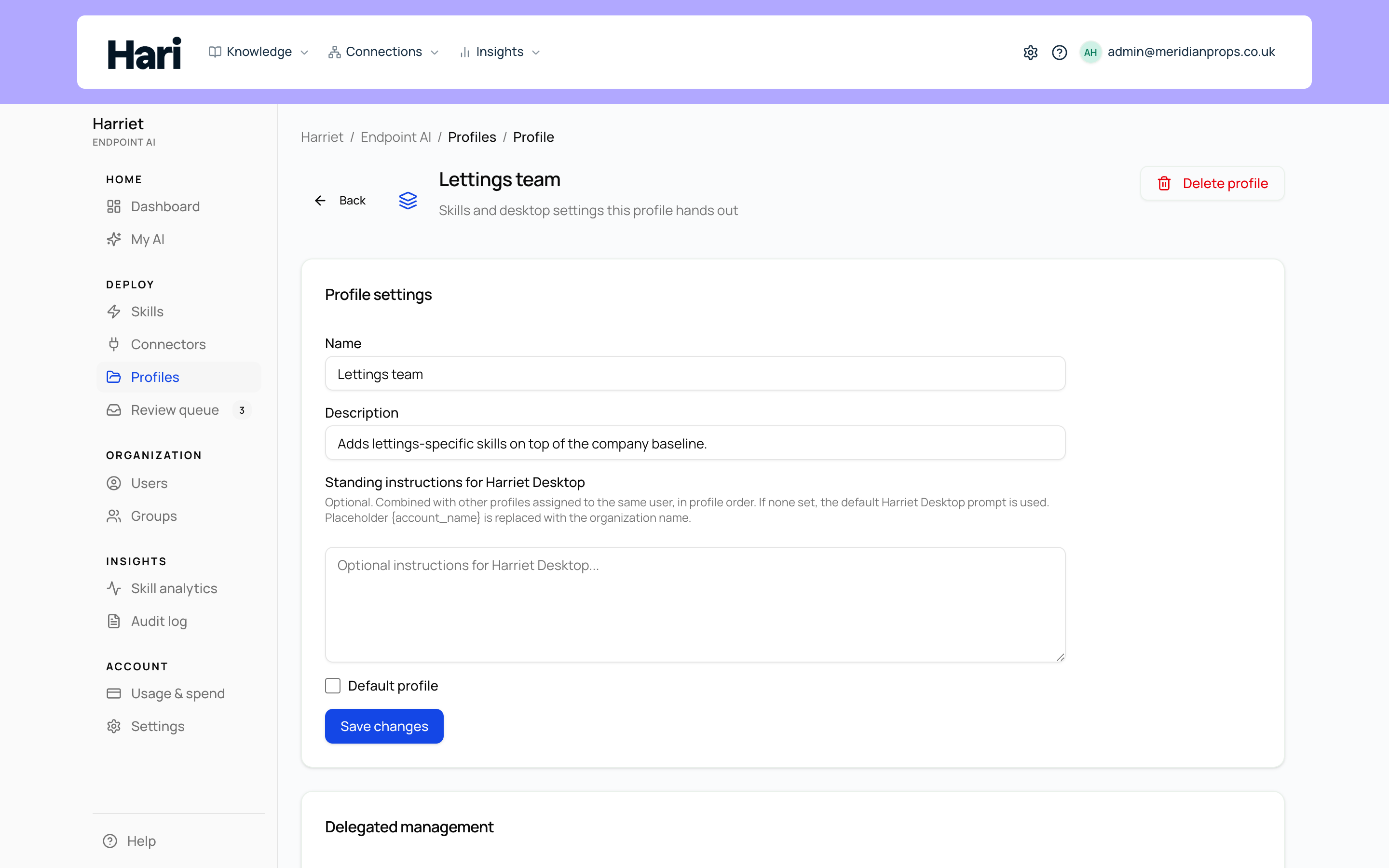
Each profile has a Harriet Desktop global rules (AGENTS.md) field: standing instructions that Harriet writes into Harriet Desktop for everyone on the profile. Use it for the things that should shape every conversation: tone, guardrails, house conventions.
Where to set it
Open Manage → Profiles, select a profile, and find the Harriet Desktop global rules (AGENTS.md) text area under Profile settings. The field is optional. As the helper text explains, the rules are combined with other profiles assigned to the same user, in profile order; if none are set anywhere, the default Harriet Desktop prompt is used. The placeholder {account_name} is replaced with your organization name, so one rule text can serve any profile without hardcoding the company.
Harriet delivers the result to each enrolled device as part of its configuration, written as AGENTS.md for Harriet Desktop. Changes reach devices on their next sync.
What belongs in rules, what belongs in a skill
Rules and skills both instruct the AI, but they answer different questions. Rules answer "how should the AI behave here, always?" A skill answers "how does the AI do this particular job?"
| Put it in global rules | Put it in a skill |
|---|---|
| Tone and voice ("write in plain English, no jargon") | A repeatable task: drafting a contract, triaging a ticket |
| Guardrails ("never paste customer data into external tools") | Anything that needs connector tools |
| House conventions: naming, formats, sign-offs | Knowledge or steps only some teams need |
| Facts true for everyone at {account_name} | Anything that should pass the review workflow before shipping |
A practical test: if only one team needs it, or it describes a task rather than a behavior, make it a skill. Skills are individually reviewable, orderable, and assignable; rules apply wholesale to everyone on the profile with no per-item approval step.
How rules and skills interact
Rules are always present: they sit in the desktop's instructions for every conversation a person has, whether or not any skill is involved. Skills are capabilities the AI draws on when the task calls for them. When a skill runs, the profile's rules still apply around it — so a "no customer data in external tools" rule constrains what a connector-using skill will do.
Because a person can hold several profiles at once — the default profile plus team and personal ones — their effective rules are the combination of every assigned profile's rules, applied in profile order. Keep organization-wide rules in the default profile and team-specific rules in team profiles, and avoid restating the same rule in both: the combined text is what every conversation carries.
Keep rules short. Every line is loaded into every conversation for everyone on the profile, so a tight page of real constraints beats a long style guide the model has to wade through.