Linking with a code
Linking connects an enrolled device to a person's Harriet account using a short code, so Harriet knows whose configuration to deliver. Without a link, the device sits in the needs-attention banner and gets only baseline configuration.
How the code works
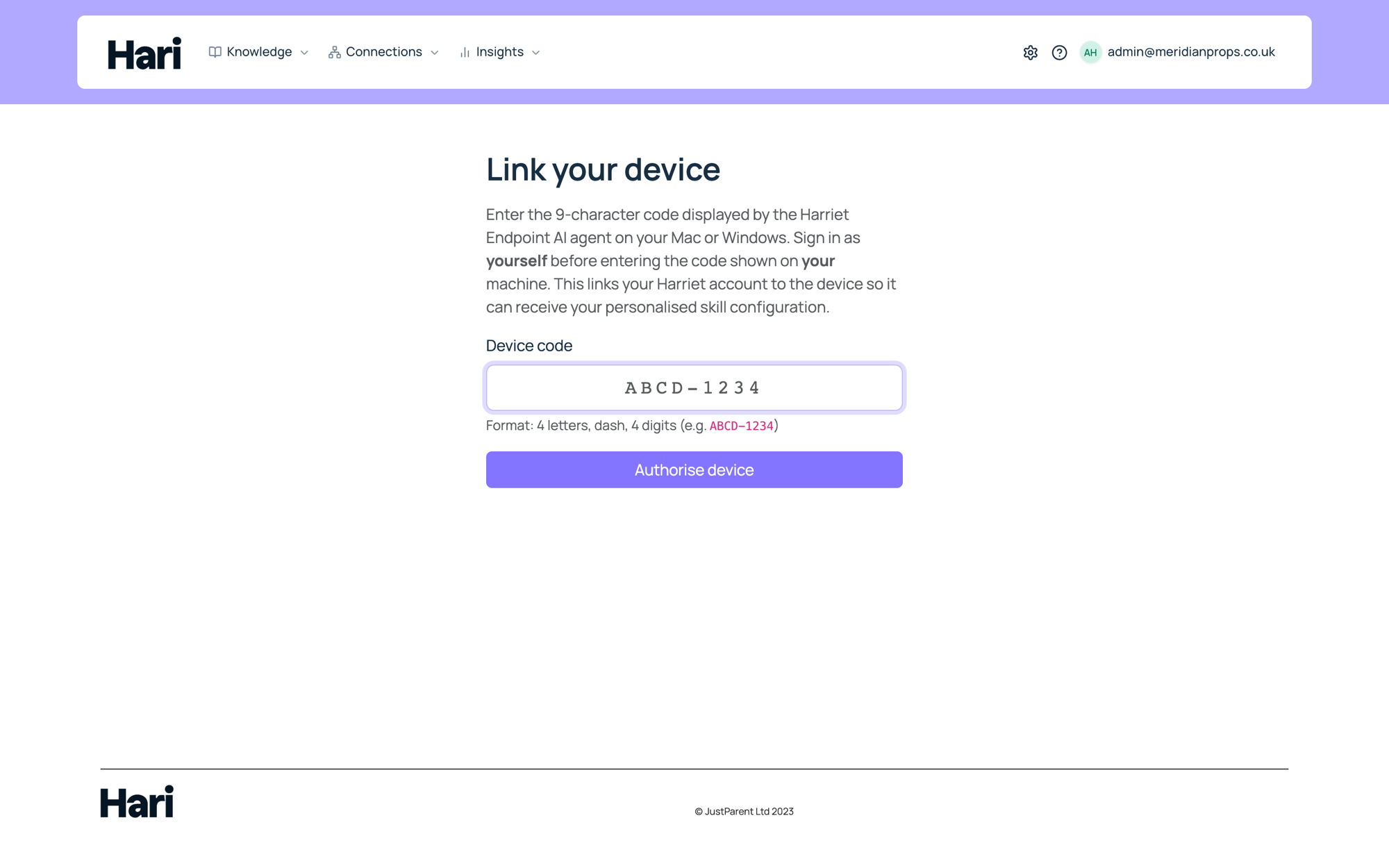
Harriet identifies the person on a device with a device-auth challenge, not by guessing the operating-system username. When linking starts, the machine displays a 9-character code in the format ABCD-1234. The code expires after 15 minutes; if it lapses, run the link step again to get a fresh one.
The person (or an admin) enters that code on Harriet's device link page while signed in. Harriet then records the signed-in account as the device's linked user.
Linking from the device
In the normal install flow, linking happens right after enrollment:
- The agent requests a code. After its first run, the agent displays the 9-character code and the link URL, and opens the browser to the device link page when it can.
- Sign in and enter the code. The person signs in to Harriet and types the code on the link page.
- The agent confirms. The agent polls until the link is approved (it waits up to five minutes), then continues with a full sync using the linked person's profile and assignments.
In MDM deployments the interactive prompt is skipped, so linking is done afterwards; see Deploying with MDM.
Linking from the console or My AI
Any unlinked device can be linked later from either side of the product:
- Admin console. On the device's detail page, the needs-attention alert and the User row both offer Link user (enter code), which opens the device link page. The Devices list shows the same Link user shortcut in the User column.
- My AI. On My AI → Your devices, employees use Link device (enter code) to claim a device themselves. This is the self-service path when IT installed the agent but nobody has linked yet.
Whoever enters the code must have the machine at hand (or the code relayed from it), since the code is displayed by the device.
Why linking matters
Linking is more than tidiness in the Devices list:
- The right configuration. Skills reach a device through the default profile, the profiles assigned to the linked person and their teams, and any direct assignments. Until a user is linked, Harriet cannot resolve that person-specific set.
- Per-user OAuth. Connectors that need a personal account (Google Drive, Slack, and similar) authenticate with the linked person's OAuth connection. An unlinked device has no one to connect as.
- Usage attribution. Tool calls in the audit log and LLM spend in usage analytics are attributed to the linked person. The LLM proxy also requires a linked user before it will serve a device.
If a device's sync status reads "Sync status unavailable", linking a user (or assigning skills) is usually the fix — Harriet has nothing to compute for an unlinked, unassigned device. See How sync works.