Claude Desktop without a Claude account
Give people the Claude Desktop app without individual Anthropic subscriptions. Harriet supplies the models through its gateway, so model access, billing, and the model list all follow your organization instead of a personal account.
How it works
This surface uses Claude Desktop's third-party provider mode. Instead of a Claude login, the app is configured by two Harriet-managed pieces:
- Managed policy points Claude Desktop's inference at Harriet's gateway and carries the MCP connectors, each with a per-tool policy that mirrors your tool permissions: tools that need confirmation ask before running, and disabled tools are omitted entirely.
- An org plugin, a system-level plugin directory, carries your organization's skills into the app. The installer creates it once with an administrator approval; after that the agent maintains it without admin rights.
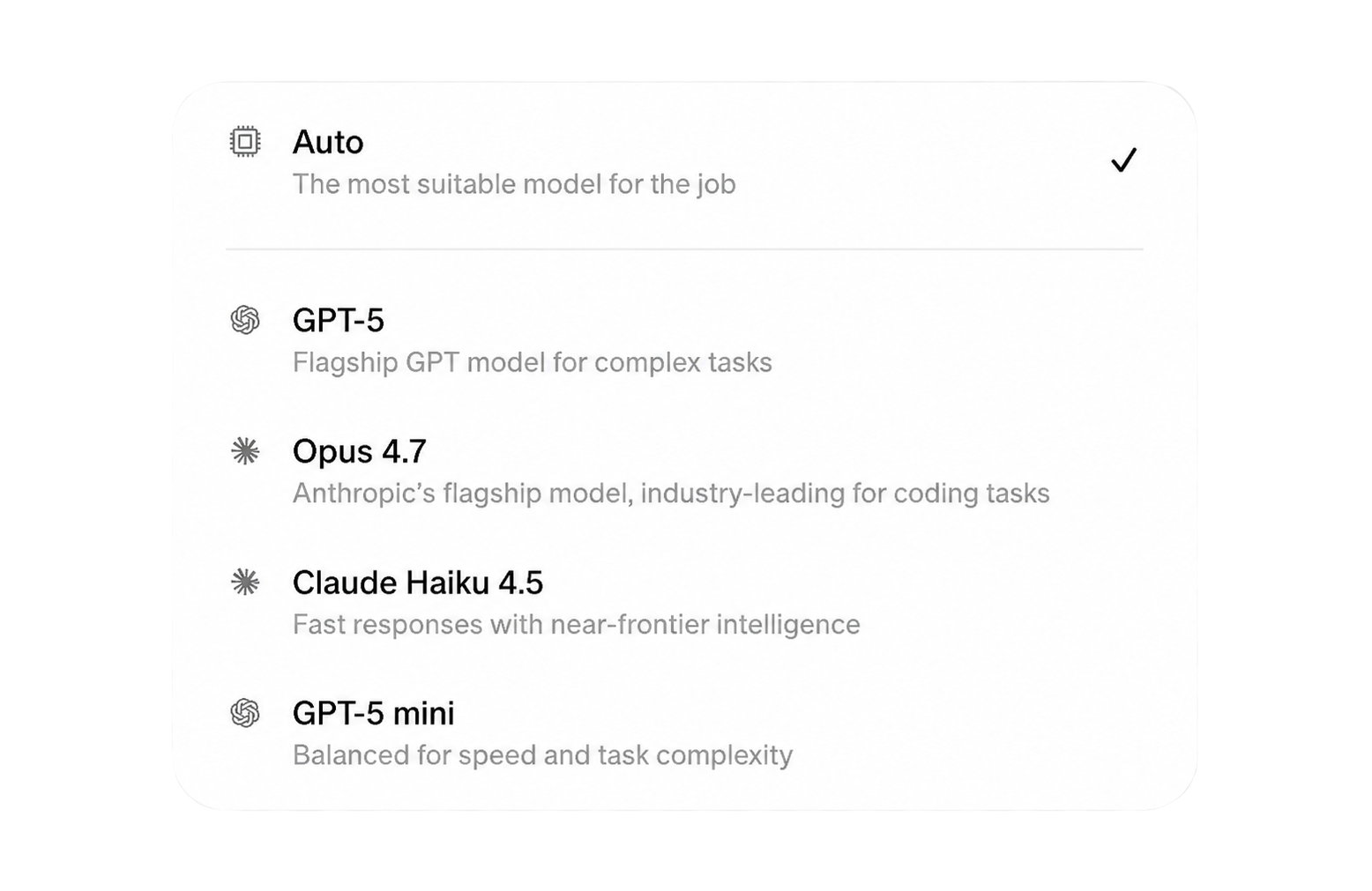
The model picker inside Claude Desktop shows exactly the models your organization allows through the LLM proxy: current Claude models, plus GPT and Gemini entries where enabled, plus Anthropic (EU) models on eligible plans. Admins restrict the list in Settings and can override it per device. Every request is billed through your organization, using your own provider keys (BYOK) or prepaid managed credits, and recorded for usage analytics and budgets.
Because Harriet is proxying the model calls, this option needs LLM billing ready before devices can chat: add a BYOK key or a payment method first. Setup blocks this choice until one of the two exists.
Set it up
- Enable the target. Turn on Claude Desktop (no Claude account) in Settings, or pick it during onboarding. The setup card describes it as connecting users with API access and provisioning MCPs, skills, and multi-provider models.
- Install Claude Desktop. macOS installs from claude.ai/download; Windows uses Anthropic's official x64 installer.
- Run the Harriet install package. It enrolls the device and bootstraps the org-plugin directory. On macOS this may ask for a one-time administrator approval (
sudoin Terminal or a graphical prompt); on Windows,install.ps1may prompt UAC once. If the admin step is declined, device linking still completes; skills apply after you re-run the installer and approve it. - Link the device and restart Claude. Enter the 9-character code if your rollout uses device linking, wait for the first check-in, then restart Claude Desktop so the gateway models and connectors appear.
The background agent applies all of this on macOS and Windows, and can switch a machine between this mode and the subscription mode.
What Harriet manages on this surface
- Model access and billing. The gateway route, the model allowlist, and BYOK or managed-credit spend per request.
- Skills. Deployed into the org plugin from profiles and direct assignments.
- Connectors. Managed MCP entries with per-tool ask/allow policy; calls are audit-logged.
- Wipe. Removing the device removes the managed policy, the gateway configuration, and the org-plugin skills, restoring Claude Desktop to a clean state. Restart Claude Desktop after a wipe if it was open.
People need no Anthropic account at any point, and there is no per-person subscription to manage. If part of the team prefers to keep personal Claude accounts, run the subscription surface alongside this one: the same device can hold both, with one active at a time.